Practice management, unified

Litigation, intellectual property and corporate work — the matters, the people, the diary and the money — managed in a single place, built for the way legal practices actually run.

No card. A full workspace, already furnished, and an activation link in your inbox.

Illustrative sample data — no real client or matter is shown.
12
connected modules
3
practice areas
∞
offices & departments
5
day free trial

One platform

Every office. Every matter.
One source of truth.

Without it

  • The next hearing date lives in a diary only one person updates.
  • Fees and expenses sit in a spreadsheet the accounts clerk owns.
  • A client rings to ask where their matter stands, and three people get asked before anyone can answer.
  • Two offices keep two versions of the same case, and both think theirs is current.

With CourtsMate

  • Hearings sit on the matter, and reminders go out before each date.
  • Fees, expenses, invoices and retainers resolve into one ledger per client.
  • The client opens a portal and sees their own matters — and can reply straight from their inbox.
  • Offices, departments and roles are part of the model, so everyone reads the same record.

Three practices, one system

Each discipline works the way it really works

Each discipline works the way it actually works, rather than being bent into a generic “matter”.

Litigation

Cases from filing to judgment. Hearings, proceedings and cause lists, with the judge and court on every matter.

  • Cause lists & hearing dates
  • Proceedings history
  • Judges & courts
  • Case outcomes

Intellectual Property

Trade mark and design applications tracked through every stage, with the classes each filing covers.

  • Applications & official numbers
  • Nice classification
  • IP proceedings & stages
  • Filing status

Corporate

Advisory and transactional work as projects, with assignments distributed across the team.

  • Projects by client
  • Assignments
  • Team allocation
  • Progress tracking

Around every matter

The work a case generates

The work a case generates — people, correspondence, money — handled in the same place as the case itself.

Tasks & assignments

Work assigned across departments, with followers, due dates and private tasks where discretion matters.

Communications

Threaded conversations against a matter, with email flowing in and out and mentions that notify.

Fees & expenses

Professional fees, expenses, invoices, prepayments and retainers, resolved into a ledger per client.

Client portal

Contacts get their own login and see only the matters they are attached to. Access is granted deliberately.

Statistics

Org-wide dashboards across every office and department, or scoped to the one you are standing in.

Notifications

Browser and mobile push for hearings, proceedings, mentions and assignments, so nothing is missed.

Offices & access

Built for firms with more than one office

Offices, departments and roles are part of the model, so people see the work that belongs to them and nothing else.

Offices
Separate practices, one organisation
Departments
Scoped access per discipline
Roles
Admin, authorized, restricted, client
Search
Across cases, clients and documents

One search across cases, clients and documents.

Everything in one place

What the practice gets

Twelve connected modules, grouped by the job they do. From the first filing to the final invoice they share the same clients, people and matters — open any one to see what it does.

Filter

The diary, the file, the people and the work that follows from each hearing.

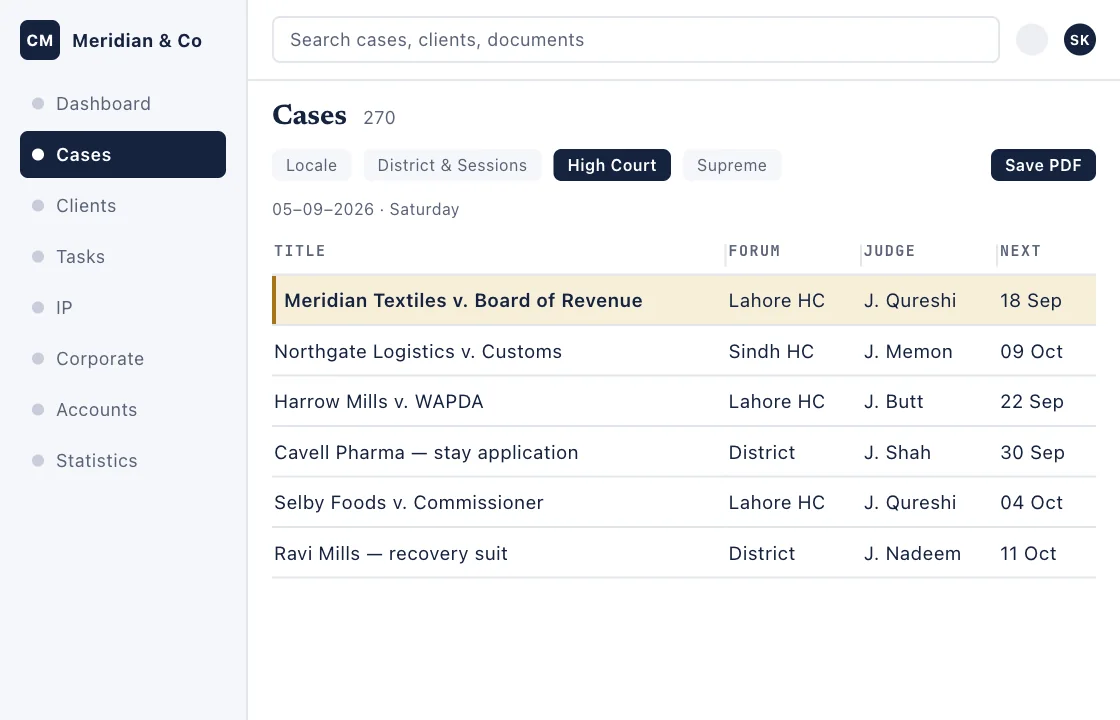
Not a flat list: cases sit under the date they are fixed for, the way a court diary reads, with the last order’s stage, the judge, the next date and the counsel on it.

What it gives you

  • Hearings grouped by date, with a count per day
  • Filters by forum — district, high court, supreme
  • A printable cause list for any range

What you do on it

  • Set a date range and save the cause list as a PDF
  • Filter to one court before you leave for it
  • Open a case to its full file

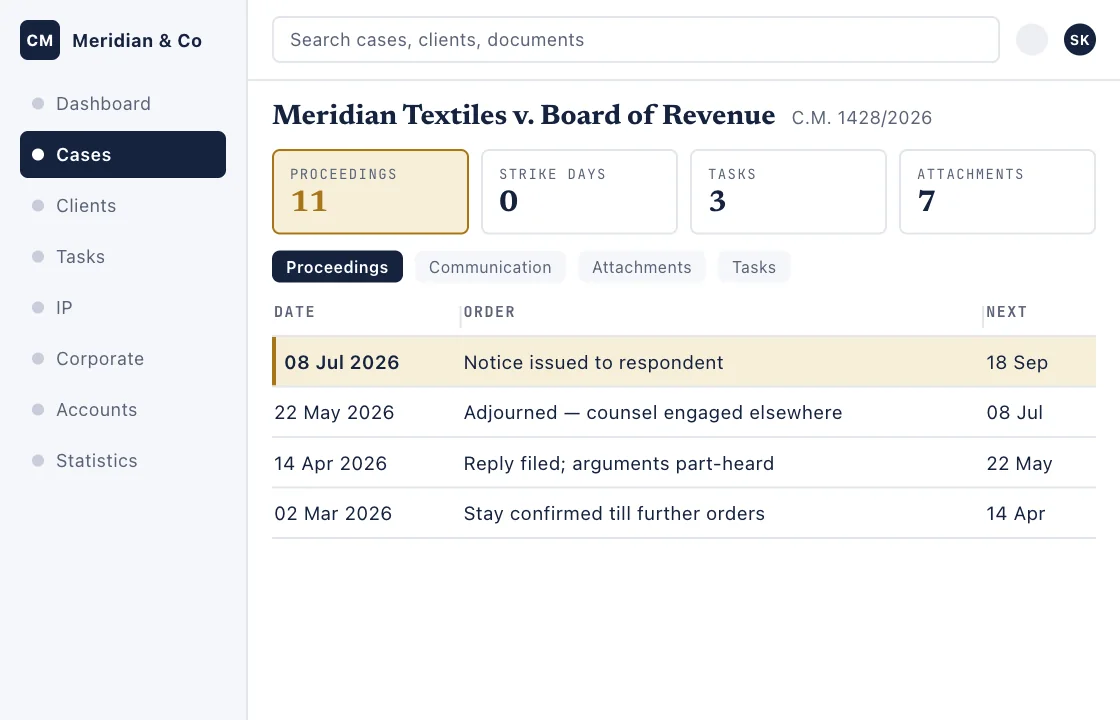
One matter’s complete record: the parties, the court, who acts for whom, and a proceeding-by-proceeding timeline carrying each order’s text, its stage and the next date.

What it gives you

  • The proceedings timeline with order narratives
  • Assignees, followers and the filing date
  • Attachments and an activity log

What you do on it

  • Record a hearing the day it happens
  • Email or copy an order straight to the client
  • Add a colleague as a follower so they are kept posted

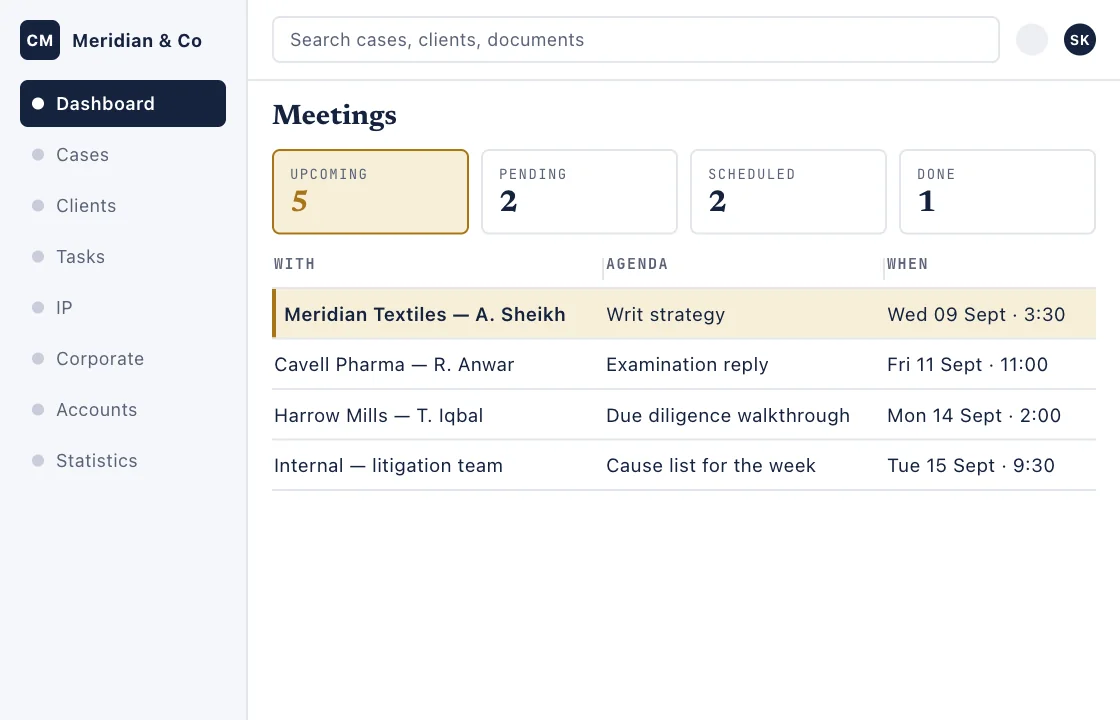
Appointments with clients and colleagues — online or in a room — carrying the agenda, the attendees, the reminders and the minutes taken on the day.

What it gives you

  • Card and calendar views
  • Several reminders per meeting, each firing once
  • Approve or deny straight from the invitation email

What you do on it

  • Book with the client’s own people, not just your own
  • Take notes during the meeting and keep them open while you work
  • Email a report afterwards

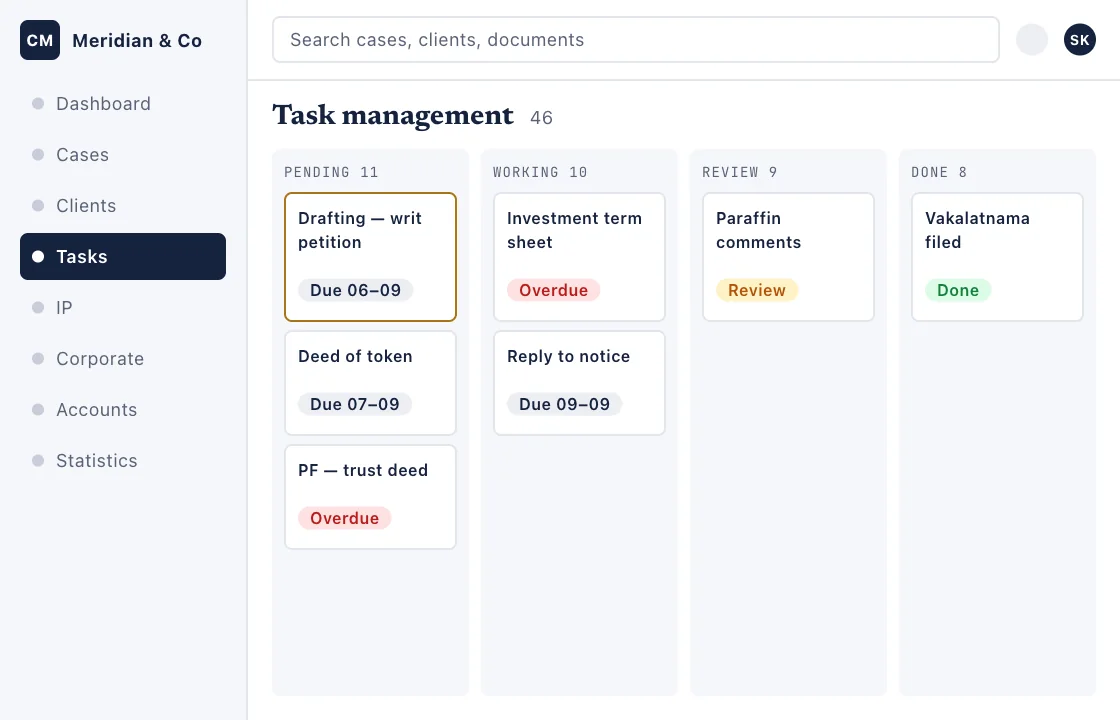
The firm’s work as a board. Each card carries its priority, its owner and a due date that turns red the day it slips.

What it gives you

  • Four columns and a count on each
  • Filters by person, client, office and priority
  • A timer on any task, with who ran it and when

What you do on it

  • Move a card as the work moves
  • Start a clock — anyone on the task can, and the record says who
  • Import a backlog in bulk

See how it works

From opening a matter to billing it

  1. Open the matterA case, an IP application or a corporate project — client, court, type and team on one form.
  2. Record proceedings and workLog each hearing's order and its next date, and spin off the tasks that follow from it.
  3. Keep the conversation with the matterTeam and client threads attached to the case, with owners, assignees and followers.
  4. Bill it, then read it backRaise fee, retainer or expense invoices, follow what is owed, and see the period in Statistics.
Fifteen sections, about two minutes, silent and captioned on screen. Recorded on a demonstration firm — every name, matter and figure in it is invented.
Start your 5-day trialA furnished workspace, no card required.

Ready when you are

Run the whole practice from a single screen.

Five days, a full workspace already furnished with a firm's worth of sample matters, and nothing to cancel at the end of it.

Start free

Start your 5-day trial

Three fields, and we email you a link that opens a full workspace — litigation, IP, corporate, tasks and accounts, already furnished with sample matters so there is something to click on.
All three are required. No card, and nothing to cancel when the five days are up.